
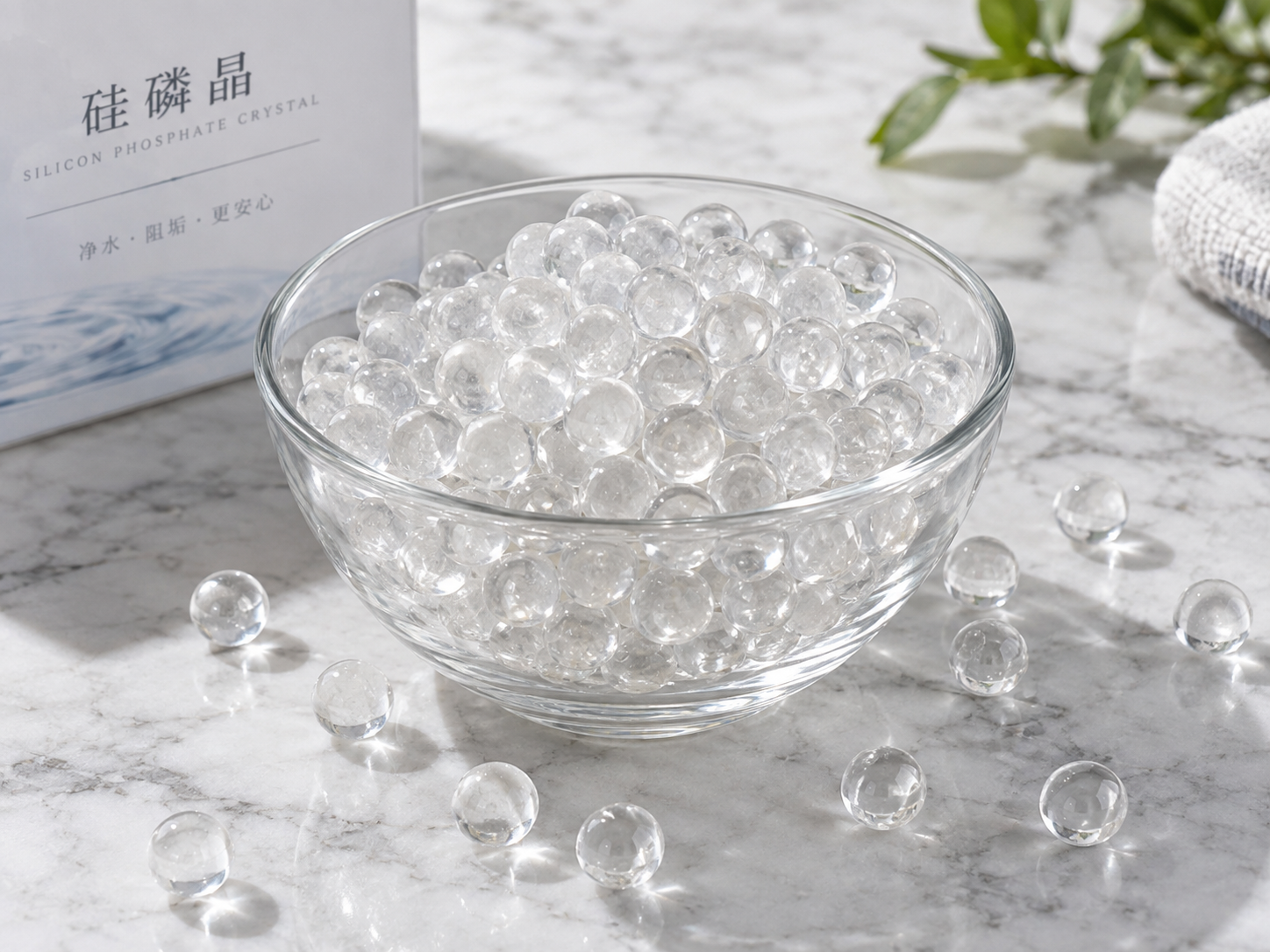
After a polyphosphate filter has been out of service for weeks or months, the media, housing, and downstream water quality cannot be assumed to be in the same condition as before. The most important checks are the physical state of the polyphosphate crystals, the integrity of the filter housing and seals, signs of stagnation or biological growth, and the system’s flow and pressure behavior when you restart it. In most cases, the filter will need to be opened, inspected, flushed, and sometimes recharged with fresh media before it can reliably inhibit scale and corrosion again.
Why idle periods affect polyphosphate filters differently
Polyphosphate filters, often using siliphos-type crystals or phosphate glass media, work by slowly dissolving a small amount of polyphosphate into the water. This forms a thin protective film on metal surfaces that helps inhibit scale formation and corrosion. The media is sacrificial: it is designed to be consumed over time. When water sits stagnant inside the filter, that dissolution process does not stop evenly. Localized pockets of water can become concentrated, the crystals may cake or bridge together, and the media surface may become coated with biofilm or mineral deposits.
Unlike a sediment cartridge that simply traps particles, a polyphosphate filter depends on controlled, predictable dissolution. Long idle periods can disrupt that control. The protective film inside downstream pipes may also degrade or disappear, so the system may need a fresh dose of polyphosphate before it is fully protected again.
Pre-restart safety and system checks
Before opening any filter housing, isolate the unit and depressurize it according to the manufacturer’s instructions. Never open a pressurized housing. Once safe, inspect the external condition of the filter and surrounding piping.
- Housing integrity: Look for cracks, crazing, frost damage, UV degradation, or swollen seals. Plastic housings can become brittle after long exposure to sunlight or temperature swings.
- Connections and seals: Check O-rings, gaskets, threaded fittings, and clamps. Replace any that are dried, cracked, or deformed. A small leak after restart can waste water and create a slip hazard.
- Downstream isolation: Make sure you can flush the filter to drain without sending stagnant water into downstream equipment, boilers, or potable lines.
- Water safety status: If the filter is part of a drinking water system, do not assume the water is safe after stagnation. Food-grade media does not automatically mean the treated water meets potable water standards. Verify suitability for the exact product, application, and local market.
Inspect the polyphosphate media itself
This is the core of the restart procedure. Open the housing as directed by the manufacturer and examine the media bed. You are looking for evidence that the crystals are still free-flowing, structurally sound, and capable of dissolving at the expected rate.
| What to check | What to look for | Typical action if abnormal |
|---|---|---|
| Media level | A significant drop compared to the original fill level | Top up only if the manufacturer allows; otherwise replace the full charge |
| Caking or bridging | Crystals stuck together in a solid mass or forming a hard crust | Replace the media; breaking it up may create uneven flow and fines |
| Color and odor | Unusual discoloration, slime, or a musty, sour, or chemical smell | Replace the media and disinfect the housing if compatible |
| Distribution screens and tubes | Blocked slots, accumulated debris, or biofilm | Clean or replace components as recommended by the manufacturer |
| Seals and O-rings | Drying, cracking, flattening, or swelling | Replace before reassembly |
If the media is caked, fouled, or has been sitting in stagnant water for a long period, replacement is usually more reliable than trying to restore it. Polyphosphate crystals are not designed to be cleaned with aggressive chemicals, and physical break-up can create uneven dissolution and channeling.
Flushing and recommissioning steps
After inspection and any necessary media replacement, reassemble the filter carefully. Lubricate O-rings only with a compatible lubricant specified by the manufacturer. Then follow a controlled restart sequence:
- Flush to drain: Open a downstream drain valve and run water through the filter to waste. This removes stagnant water, loose fines, and any dislodged biofilm. Flush until the water runs clear and any recommended flush volume has passed.
- Check for leaks: While flushing, inspect all connections, the housing seal, and drain valves. Stop and repair any leak before continuing.
- Restore flow gradually: Bring the system back to normal flow slowly. A sudden surge can disturb the media bed and push fines downstream.
- Monitor pressure drop: Record the differential pressure across the filter. Compare it to the baseline for a clean unit. A high or rapidly rising pressure drop may indicate caking, blockage, or incorrect media filling.
- Verify downstream water: Once the system is running, test the water for the parameter the polyphosphate is intended to control. This may be a phosphate residual test, corrosion coupon monitoring, or another method used in your water treatment program. If you do not have a test method, rely on the manufacturer’s guidance and observe the media consumption rate over the next few weeks.
Water quality checks after restart
Polyphosphate treatment is not water softening, scale removal, or disinfection. It inhibits scale and corrosion by forming a film, but it does not remove existing hardness minerals or kill bacteria. After a long idle period, you may need to check for two separate issues: whether the polyphosphate is still being released, and whether the stagnant water has created a microbial problem.
- Phosphate residual: If your normal program includes a phosphate test, compare the result to the expected range for your application. A zero or very low residual may mean the media is spent, caked, or bypassed.
- Microbial indicators: For potable water or process water where bacteria are a concern, testing may be required before returning the system to service. Do not assume that flushing alone makes the water safe.
- Corrosion indicators: If the system has corrosion coupons or monitoring equipment, check them after restart. The protective film may need time to re-form.
When to replace the polyphosphate media
Replacement is usually the best option when:
- The media is caked, bridged, or heavily fouled.
- The media level has dropped significantly and the manufacturer does not recommend topping up.
- The media has been exposed to stagnant water for an extended period and shows signs of biofilm or odor.
- The recommended service life has been reached, even if the filter was not used continuously.
- Water chemistry or operating temperature has changed enough that the old media may no longer dissolve at the expected rate.
Always follow the manufacturer’s replacement instructions for the specific product. Do not mix old and new polyphosphate crystals unless the manufacturer explicitly allows it; mixing can cause uneven dissolution and unpredictable performance. Store spare media in a cool, dry, sealed container away from direct sunlight and chemical fumes.
Common mistakes to avoid after long non-use
- Reusing caked media: Breaking up a solid mass may seem economical, but it often leads to channeling, fines, and poor treatment.
- Skipping the flush: Stagnant water can contain elevated phosphate, biological growth, and debris. Flushing to drain protects downstream equipment.
- Assuming food grade equals drinking water safe: Food-grade media is not the same as a product certified for potable water use under all conditions. Verify the exact product and application.
- Ignoring downstream effects: If the filter protects a boiler, cooling tower, or domestic water line, check that those systems are ready to receive water again.
- Over-tightening fittings: This can crack plastic housings or distort seals. Follow torque specifications if provided.
- Using incompatible cleaners: Some disinfectants or descalers can damage polyphosphate media or the housing. Ask the manufacturer before using any chemical treatment.
Frequently asked questions
Can I simply top up the polyphosphate crystals after a long idle period?
Topping up may be acceptable if the existing media is still free-flowing, clean, and not caked. However, if the media has formed a solid mass, has an odor, or shows biofilm, topping up will not solve the problem. In that case, replace the entire charge. Also check whether the manufacturer allows mixing old and new media; many do not.
How can I tell if the polyphosphate media is still active?
The most direct way is to test for phosphate residual in the treated water using the same method your water treatment program normally uses. If the residual is consistently low or zero, and the media level is not dropping as expected, the media may be spent or bypassed. Without a test, you can only estimate activity by comparing the media consumption rate to previous periods of normal use.
Is water from a polyphosphate filter safe to drink after the filter has been idle?
Not without verification. Stagnant water can support microbial growth, and phosphate levels may be higher than normal. Flush the filter and downstream lines to drain, then test the water according to local regulations before using it for drinking or food preparation. Food-grade media alone does not confirm potable water suitability.
What causes polyphosphate crystals to cake during storage or non-use?
Caking can result from moisture exposure, temperature fluctuations, pressure changes, or the natural hygroscopic nature of some polyphosphate glasses. Stagnant water inside the housing can also dissolve crystal surfaces and then re-deposit material as the water evaporates or changes temperature. Keeping the filter sealed, dry, and protected from freezing helps reduce caking.
Do I need to replace the entire filter housing after long non-use?
Usually not. The housing can often be reused if it is undamaged, clean, and compatible with the replacement media. Inspect for cracks, thread damage, and seal surfaces. Replace any worn O-rings or gaskets. If the housing is cracked or deformed, replace it according to the manufacturer’s recommendations.
Getting the right replacement media for your system
Polyphosphate filters are used in many different applications, from small domestic scale-inhibition units to larger industrial corrosion-control systems. The correct crystal type, fill quantity, and replacement interval depend on your water chemistry, flow rate, temperature, and treatment goal. ENVO CHEMICAL supplies polyphosphate media for water-treatment applications, and we can help you review your restart plan or select a replacement charge.
To receive relevant guidance, please provide your application (for example, scale inhibition in a water heater, corrosion control in a pipe network, or protection of a cooling system), source-water conditions, current filter model or housing dimensions, the technical objective, required quantity, and destination market. With those details, we can discuss suitable options without guessing at specifications.
